Your iPad is a pen tablet.
PencilBridge turns the iPad and Apple Pencil you already own into a wired pointer, drawing tablet, smooth trackpad and handwriting keyboard for your computer. It's precise enough for osu! and comfortable enough for a full workday.
PencilBridge for Mac.
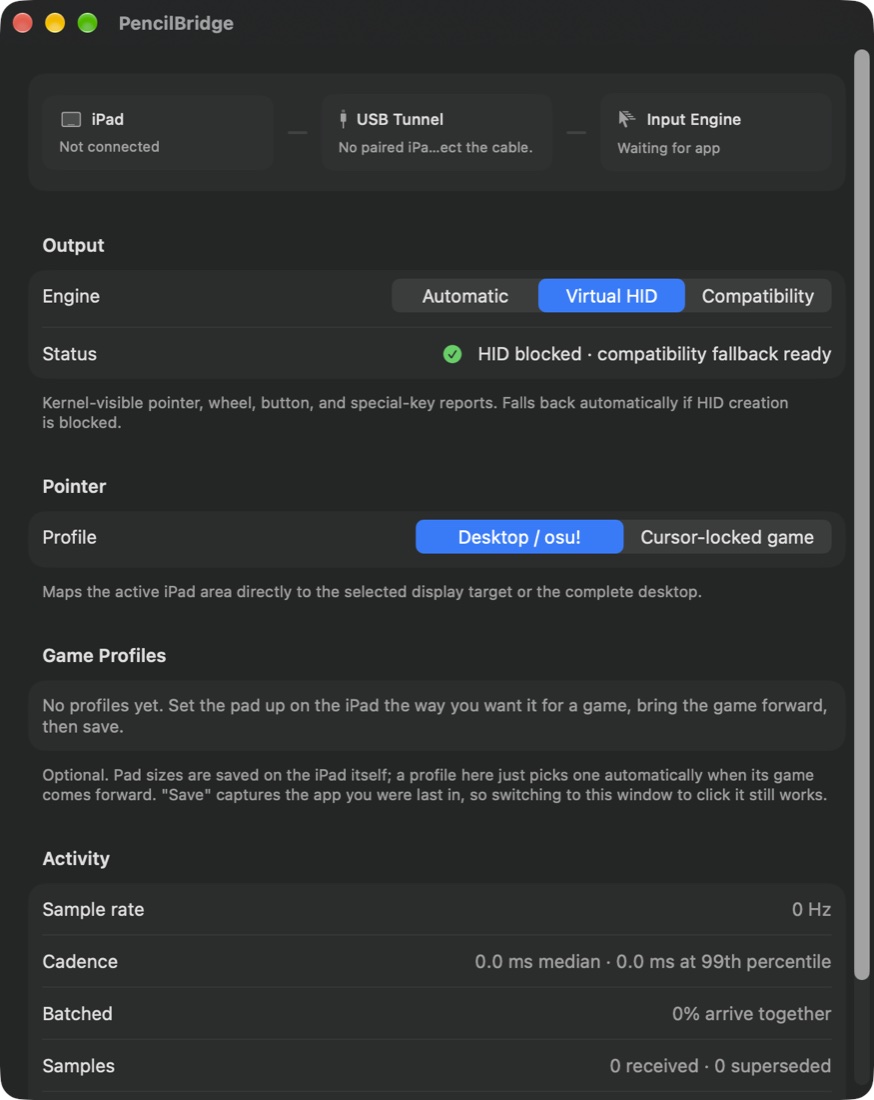
Connection health at a glance, a choice of output engine and pointer profile, per-game profiles and live sample-rate diagnostics.
Plug in. Pick up the Pencil.
Connect with USB-C
Plug your iPad into your computer with a data cable. The receiver finds the iPad and keeps the link alive by itself, even when other devices are connected.
Open both apps
Open PencilBridge on the iPad and on the computer. Three status lights (iPad, USB tunnel and input engine) turn green when everything is ready.
Point, draw and play
Hover to move the cursor, tap to click, press firmly to drag, and scroll with one or two fingers. You can also map a region of the iPad to your whole screen.
One Pencil, the right behavior for each task.
Daily
Hover moves the cursor, a light tap clicks, and firm pressure starts a drag that holds until you lift. Scrolling has natural momentum.
Tip Hold
Hover moves the cursor. Touching the tip holds the left button, like a classic pen tablet.
osu! Double Tap
The cursor moves only while the tip is down, and a Pencil double-tap clicks. Built for rhythm-game precision.
Pressure Click
Contact moves the cursor. Pressing past your chosen force threshold holds the button until you ease off.
Squeeze Hold
With Apple Pencil Pro, hover moves the cursor and a squeeze holds the button, even while the tip is touching the screen.
Pencil Type
Handwrite with Scribble and send the text to whatever text field is active on your computer. Delete, Return, Tab and Esc are one tap away.
Built like an input device, not a remote-desktop app.
Wired and private
Pointer data travels only over the USB cable. Nothing goes over Wi-Fi, cellular, the cloud or any third-party service.
Absolute or relative
Desktop / osu! maps the pad to one display or all of them. Game Relative turns Pencil motion into mouse movement for games that capture the cursor.
Full Pencil data
Uses position, hover, pressure, tilt, azimuth, roll, double-tap and Pencil Pro squeeze, depending on your Pencil.
Your active area
Resize, move, rotate and flip the active area of the iPad. Tune the pressure threshold, hover stability and scroll speed and direction.
Real scrolling
Smooth, pixel-precise scrolling with one or two fingers, with momentum and separate horizontal and vertical reversal.
Self-healing link
A heartbeat safely releases buttons and reconnects if anything stalls, so the mouse button never gets stuck down.
Game-ready output
Uses standard system input for the desktop, and a virtual HID device for games that read raw input, chosen automatically.
Handwriting to text
Scribble text, including Unicode, is delivered into any focused field on your computer, with automatic text-field detection on Mac.
Windows receiver
A native Windows receiver supports absolute and cursor-locked relative input, per-game profiles, monitor targeting, scrolling and text.
Specifications
- iPad
- iPad with Apple Pencil support. Apple Pencil Pro unlocks squeeze.
- Computer
- A Mac, or a Windows PC with the Windows receiver
- Connection
- A USB-C data cable. Uses a low-latency local tunnel with no network required.
- Mac permissions
- Accessibility, optional. It enables text-field detection and Compatibility output.
- Data collected
- None
In development
PencilBridge works today on our own iPads and Macs, and early testers build it from source with a guided setup script. We're making setup simpler and finishing the physical test pass before a wider release. Add it to your wishlist below and we'll email you when it's ready.
Be the first to know.
Both apps are in development. Leave your email and we'll send one message when your pick is ready to download. No newsletter and no spam.